
Screenity
Chrome extension for unlimited screen recording and annotation, made for people who want demos and tutorials without an account.
Open Source Alternative to:


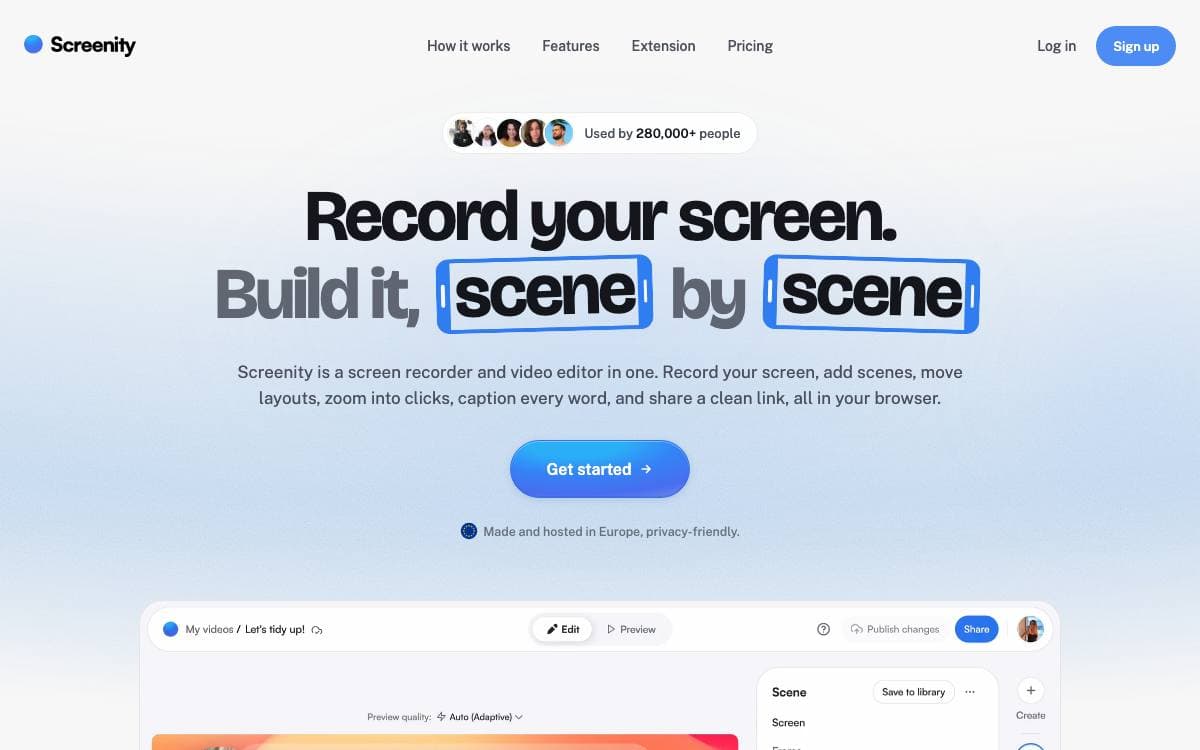
Screenity is a screen recorder and annotation tool that lives in Chrome. There is no time limit, no watermark and no sign in, which removes the usual reason people ration what they record.
Capture covers a tab, a selected area, the whole desktop, a single application or the camera alone, with microphone or internal audio and push to talk. Videos stay on your own machine, no data is collected, and the extension keeps working offline.
Most of the tool sits in what happens around the raw capture.
- Annotation: draw anywhere on the screen and add text, arrows and shapes as you record.
- Focus tools: smooth zoom, click and cursor highlighting, spotlight mode and blur over sensitive parts of a page.
- Editor: cut, trim and crop, remove or add audio, and set an alarm that stops the recording for you.
- Camera effects: AI-powered backgrounds or blur applied to the camera feed.
- Export: save as mp4, gif or webm, or send the video to Google Drive for a shareable link.
Install it from the Chrome Web Store, or load a release build yourself, in which case it runs local-only with no API calls, sign-in flows or platform features. A development version needs Node.js 14 or newer, and enabling Google Drive uploads means swapping in your own OAuth client id. The current MV3 releases are licensed GPLv3.




Stars
18,813Forks
1,532Last commit
3 days agoRepository age
6 yearsLicense
GPL-3.0Version
4.7.2Repository
alyssaxuu/screenity
Auto-fetched from GitHub .
Open source alternatives similar to Screenity:
Stars
Forks
Last commit
Stars
Forks
Last commit
Stars
Forks
Last commit


